
Your needs, this model
Does it fit your priorities?
What does the M3's 24-gear display mean?
The 2025 model manual labels the ordinary resistance range 1–24; the emergency-brake position marked 88 is separate. Treat the display as a model-specific reference for repeating settings, not a standardized workload rating or proof of 24 mechanical detents.
Explore this need in the finder →Does this M3 computer connect to apps or heart-rate monitors?
Keiser's current M3 shop FAQ says its computer is intended for users who want no connectivity, and it does not track heart rate. If an app or heart-rate link is essential, this model is not the documented choice; compare the exact connected M3i display variants instead.
Explore this need in the finder →What room and setup details should I verify?
The 005501BBC manual lists a 51 x 26 x 44 in body, 87 lb mass and 24 in of free area on every side. Those room figures do not include the assembly route or guarantee that the M3's Class S supervised-training label fits your planned home use; read the exact manual before setup.
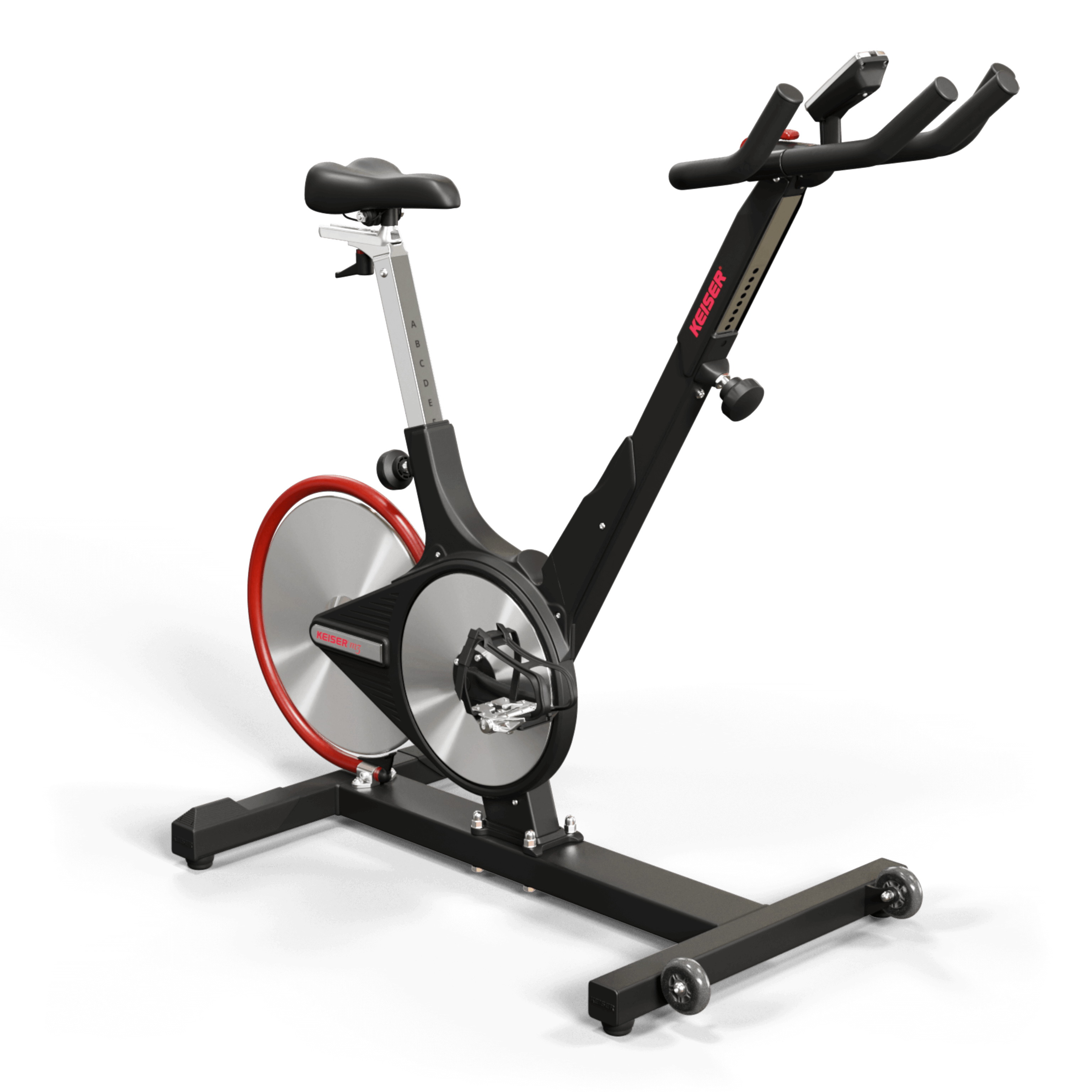
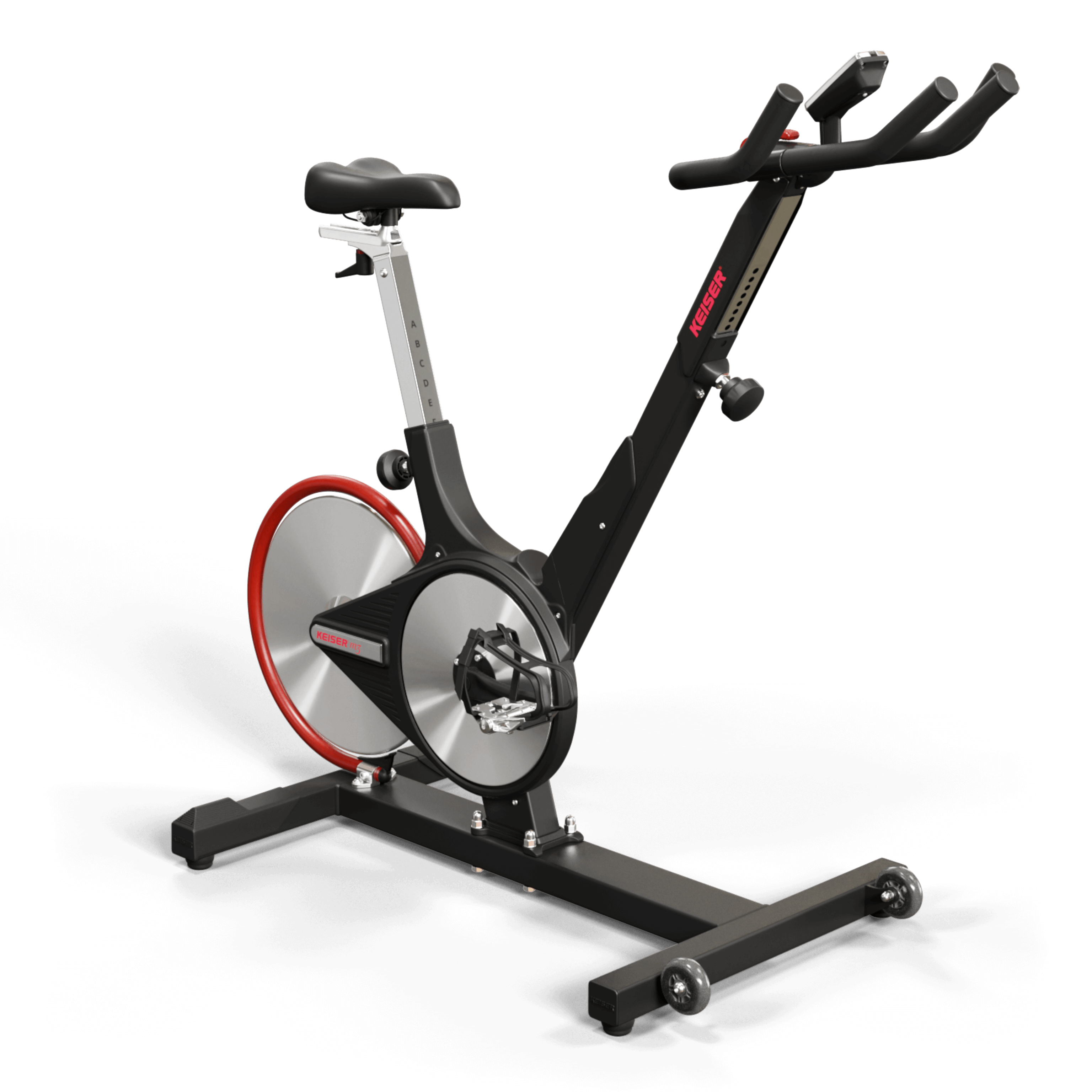
Explore this need in the finder →The current Keiser home shop lists an M3 Indoor Bike whose product data identifies SKU 005501BBC. Keiser's 2025 M3 assembly-and-operation manual lists the same code as the black-frame/black-plastic M3 with the computer display. The manual also names other 005501 variants, including color and no-display versions, so this assessment is specifically about the current shop's 005501BBC rather than every used M3 or an M3i. The bike has a studio-cycle frame and magnetic resistance; its clearest point of difference is a basic, non-connected computer rather than app integration.
Check the cockpit before assuming an M3 adjusts like an M3i
For the 005501BBC, the manual gives a user-height range of 58 to 84 inches, an 87-pound assembled mass, and a body measuring 51 inches deep, 26 wide and 44 high. It describes a seat-height knob plus a separate fore/aft seat-depth handle and a handlebar-height knob. That is not the same as the four-way handlebar movement on Keiser's M3i 5507 or Studio Plus 5509. The manual does not publish a complete travel range for each adjustment, and a height range cannot tell whether the saddle-to-bar relationship will work for a rider's proportions. If this is for a shared household, confirm the range of the actual seat and bar positions, not just the published rider endpoints.
The compact listed body is useful for rough planning, but it is not the full operating area. Keiser's manual asks for a minimum 24 inches of free space around the machine. Add the room needed to mount and dismount, move safely around the fixed-gear pedals, bring the bike through a doorway and complete assembly. At 87 pounds, the transport wheels help with rolling after assembly; they do not remove the need to check stairs, turns and floor access.
Resistance display and connection limits
The M3 uses a magnetic resistance system described as infinitely incrementally adjustable. Its manual identifies numbered gears 1 through 24; it separately labels the emergency-brake position as gear 88. That brake setting is not a twenty-fifth workout level. Treat the regular gear numbers as a console reference for choosing or repeating a setting, not as a universal measure of how hard the resistance feels or as proof of fixed detents. The display also reports ride information, but a watts readout and an effort scale answer different questions.
Keiser's current M3 shop FAQ says the computer is for customers who want no connectivity and does not track heart rate. The facts reviewed for this exact shop configuration do not establish a bike-to-app connection or wireless heart-rate route. That matters if workout data, a named training app or a connected sensor is a requirement: a generic Keiser class or streaming service is not the same as the computer sending your bike metrics to an app. Compare an exact connected M3i display variant if that workflow matters, and check the current device and membership terms separately.
Pedals, manual and operating context
Pedal choice deserves a close look. The M3 manual tells riders to secure their feet using the clip-in system or pedal cage and documents toe-cage-strap adjustment. It does not make every cycling shoe system interchangeable. Ask the seller to identify the supplied pedal set and shoe standard for SKU 005501BBC; used offers may have replacement pedals or missing straps. The manual also describes this as a fixed-gear bike and gives a specific emergency-brake procedure. Read the correct manual and use the brake and foot-securing instructions rather than treating it like a freewheeling outdoor bicycle.
There is an important use-label detail to resolve. The 2025 manual categorizes the M3 as a Class S product for a controlled setting such as a sports or fitness facility under a trainer's supervision, while Keiser currently lists the M3 through its home shop. The two facts should not be collapsed into an unqualified assurance that every home setup is appropriate. If you plan to use it at home, ask Keiser how the class label applies to your situation and follow the exact manual's safety, setup and maintenance directions.
Where it sits in the Keiser line
The M3 is worth comparing when you want a cycling-style machine and do not need the bike computer to communicate with a phone. The M3i 5507 adds a connected M Connect display, a product-specific Zwift listing, and fore/aft handlebar adjustment; its listed height and mass differ. The M3i Lite 5503 and Studio 5508 each have less bar movement than a full four-way model, while the Studio 5508 and Studio Plus 5509 use a 72-gear Studio Display rather than this M3's 24-value scale. Those distinctions are more useful than assuming that related model names guarantee the same computer, fit range or package.
The M3's case is strongest when a standalone console is a deliberate choice and its seat/bar layout suits the rider. It is not the right shortcut for a buyer who needs a named app, heart-rate logging, extensive fore/aft handlebar adjustment or a verified room envelope. Confirm the model label, included display, pedal set, correct manual, return and warranty terms, and the intended use class before choosing an offer. This is a source-based comparison, not a hands-on ride, performance measurement or claim about personal comfort, noise or long-term durability.
Key specifications
Key details at a glance
| US retail SKU | 005501BBC |
|---|---|
| Riding format | Indoor cycling / studio-style bike |
| Resistance mechanism | Magnetic, infinitely incrementally adjustable |
| Resistance levels | 24 |
| Maximum user weight | 350 lb |
| Console | The computer display shows ride metrics and the 1–24 gear range. The manual says the display uses two AA alkaline batteries and activates when pedaling. |
| Listed length | 51 in |
| Listed width | 26 in |
| Listed height | 44 in |
| Assembled weight | 87 lb |
| Named connected apps | |
| Pedals | The manual instructs riders to secure feet with the clip-in system or pedal cage and documents toe-cage-strap adjustment. verify the exact pedal and shoe-standard details on the actual offer. |
Use the exact model’s instructions for operating limits, supplied equipment and version differences.
Sources for this review
Sources for this assessment
- Keiser US/Canada home-shop cardio list; M3 Indoor Bike
- Keiser current US M3 Indoor Bike product page and SKU
- Keiser 2025 M3 Assembly and Operation Manual; includes model 005501BBC
- Keiser M Series support and manuals index
- Keiser official M3 5501 product image
- CPSC recall and product-safety index checked for Keiser M3 5501
Put the details together
Use the finder to compare format, app support, resistance steps and the limits that matter in your room.